
UX Zoning: The foundation of a well-designed website

When people think about building a website, they jump straight to colors, fonts, and visuals. But before any of that, there is a quieter and far more decisive step: UX zoning. This is where you decide what goes where on a page, and this single decision shapes most of the user experience (UX) that follows.
In this article, we cover what zoning is in UX design, why it matters more than most people think, and how it connects to the next steps: wireframing, mockup, and development.
What is UX zoning in web design?
Zoning, also called low fidelity wireframing in many UX workflows, is the step where a page gets divided into functional blocks before any content, visual design, or code is involved. Each block has a specific role: the header, the hero section, social proof, value proposition, calls to action, the footer. You work at block level, not pixel level. In practice, you draw labeled rectangles, on paper or in a tool like Figma, to define the page structure in its most essential form.
A useful analogy: zoning is like the floor plan of a house before choosing the furniture and colors. You decide where the kitchen goes, where the bedroom is, how the living room connects to the rest, based on how people will actually live in the space. The furniture comes only after.
Zoning and wireframing are not the same thing. Zoning is more abstract: it answers the question "which blocks are needed and in what order". Wireframing then goes further and defines "how each block is built".
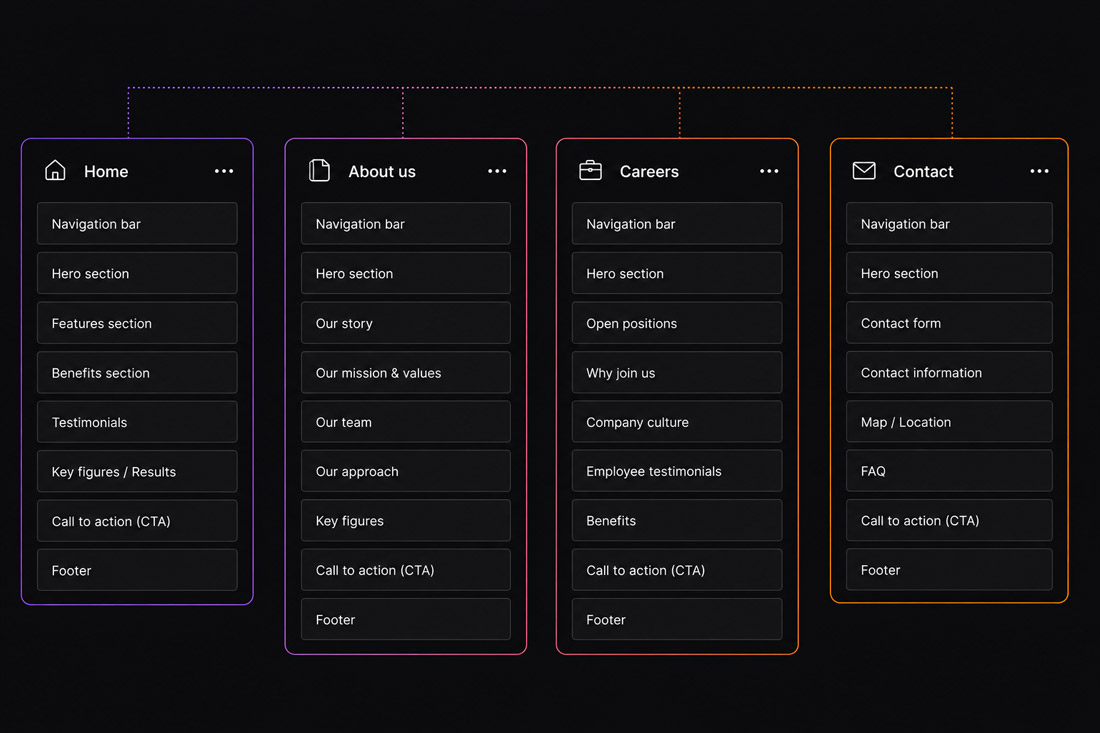
Why zoning is essential for UX
Skipping zoning is one of the most expensive mistakes in interface design. Here is why this step makes the difference.
1. It defines hierarchy and the user journey
Zoning sets the order in which users encounter information and guides their attention toward the action that actually matters. A clear hierarchy means someone understands within seconds where they are, what they can do, and why they should do it.
2. It reduces costs and errors
Moving a rectangle during zoning costs nothing. Rebuilding a page that is already in development costs days of work. Thinking through structure early avoids heavy revisions in later phases, where every change becomes slower and more expensive.
3. It separates function from aesthetics
Without the distraction of colors, images, and typography, zoning forces you to think in terms of goals and priorities. This is the moment to ask: "Is this block actually useful? Is it in the right place for what we are trying to achieve?" A question that becomes very hard to ask once you are already in love with a visual.
4. It works across every device and interface
Zoning is not just for websites. Mobile apps, dashboards, SaaS platforms, interactive kiosks: every interface needs a structure defined before the visual design begins. It is also the ideal moment to think mobile first, deciding which content is prioritized on small screens and how blocks reorganize across breakpoints.
5. It aligns teams and clients
Zoning is a shared language for discussing page structure without getting lost in design details. It helps designers, developers, and clients agree on the skeleton before investing time and energy into actual design work, which is especially valuable when working with remote teams across different countries and time zones.
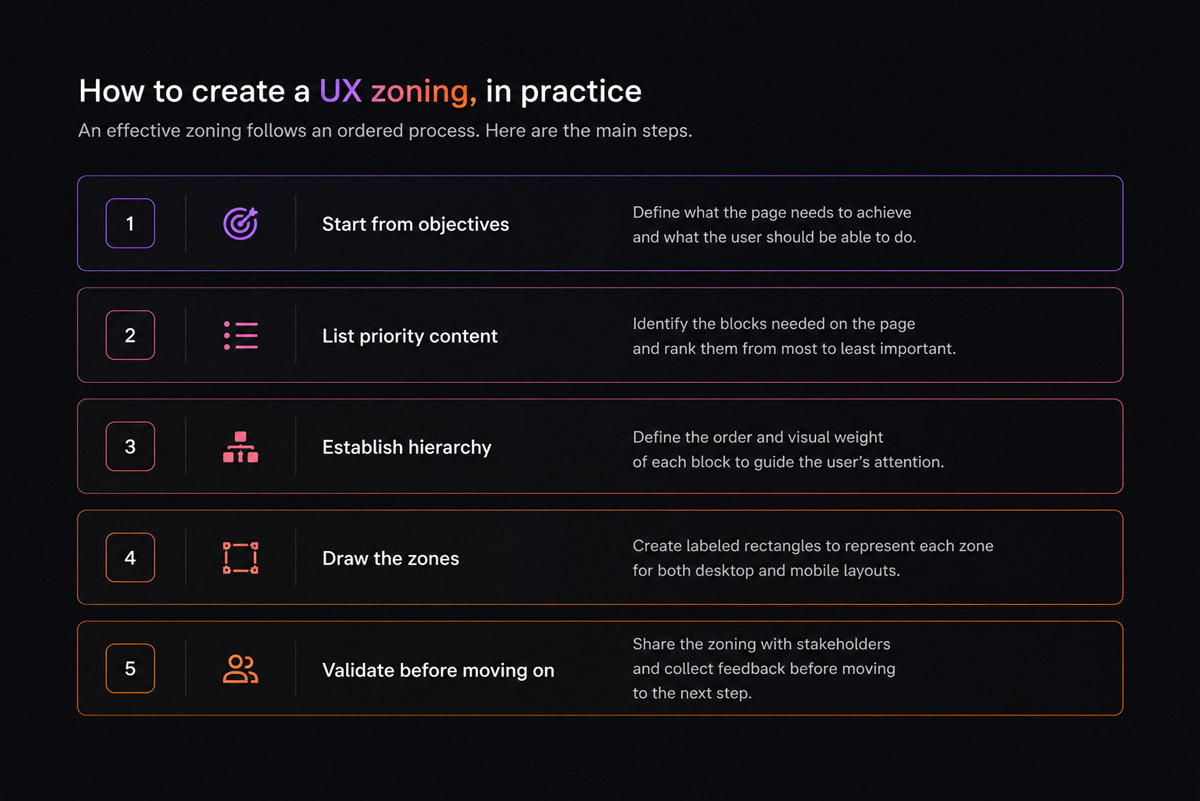
How to create a UX zoning, in practice
An effective zoning follows an ordered process. Here are the main steps.
- Start from objectives : what the page needs to achieve and what the user should be able to do.
- List priority content : the blocks needed, ranked from most to least important.
- Establish hierarchy : define the order and visual weight of each block.
- Draw the zones : labeled rectangles, for both desktop and mobile layout.
- Validate before moving on : share the zoning with stakeholders and collect feedback before progressing to the next step.
One golden rule: every screen should have one clear primary objective. If a page tries to do everything at once, the zoning phase is exactly where that problem becomes visible.
As a freelance UX designer working remotely across Europe, I apply this step on every project, whether it is a brand website, a SaaS product, or a full redesign. It is often the phase clients remember most: deceptively simple on the surface, it locks in strategic decisions that shape everything that follows.
"For remote work or direct client collaboration, FigJam is particularly well suited"
AI as a brainstorming tool for UX zoning
Before drawing the first rectangle, there is a thinking phase: which blocks are actually needed? In what order? With what priority? This is where AI becomes a genuinely useful tool. By describing to a model like ChatGPT or Claude the goal of the page, the target audience, and the industry context, you get in seconds a list of suggested blocks, questions you had not considered, or alternative structures worth comparing.
AI does not do the zoning: the designer decides, validates, and adapts. But the brainstorming becomes faster, more structured, and often more complete. In my freelance practice, I use AI as a first sparring partner to challenge my instincts before placing the first block in Figma.
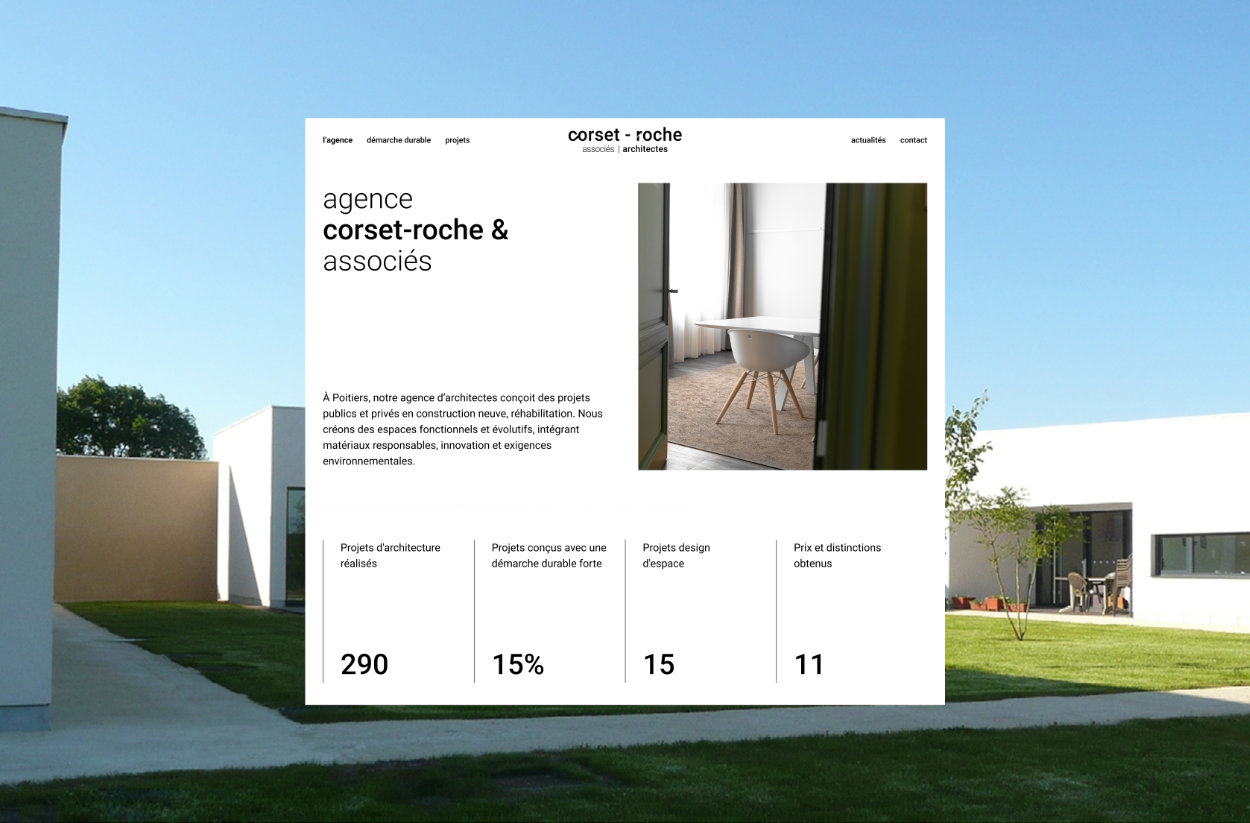
Zoning in a real project: Corset Roche et Associés
To see this method applied in practice, you can explore the Corset Roche et Associés project, an architecture firm for which I completed the zoning phase before moving to wireframing and the final mockup. It is a concrete example of how a well-structured foundation upstream simplifies every step that follows, and delivers a coherent result without unnecessary back-and-forth.
After zoning: wireframing, mockup, and development
UX zoning comes right after the sitemap is defined, once the site's pages and their relationships have been established. It is the starting point of a structured method: once the block structure is in place, the project moves through three key steps.
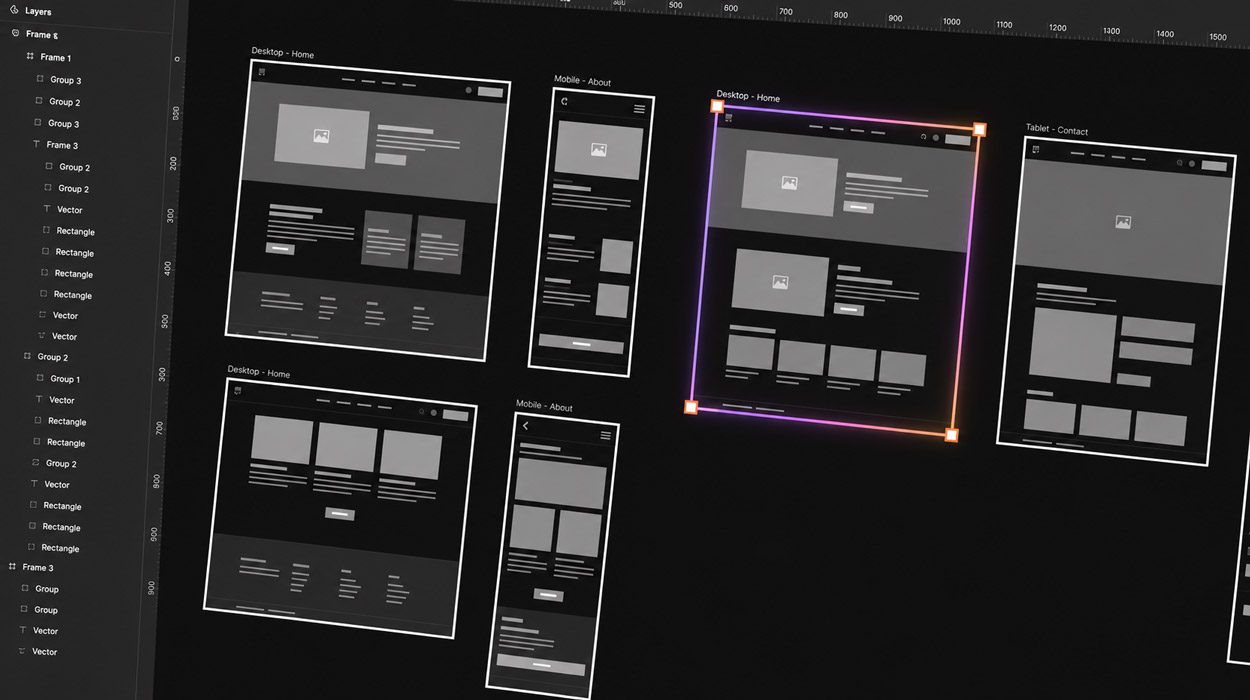
📐 Wireframing
The wireframe translates zones into a concrete structure: position of headings, text, buttons, and images. You still work in black and white, without final visual design, but you start defining spacing, relative dimensions, and component behavior. It is the bridge between the abstract idea of zoning and actual design. For both zoning and wireframing, I work in Figma : it allows fast iteration, easy client sharing, and consistency across the entire project, which matters especially when collaborating remotely.
🎨 Mockup
The mockup is the high-fidelity version: colors, typography, images, and brand identity. Design comes to life and approaches the final look. Mockups are often paired with an interactive prototype, useful for testing user flows and ergonomics before writing a single line of code.
⚙️ Development
This is where design becomes a real, functional website, for example in Webflow. A solid zoning foundation makes development faster and cleaner, because the structure is already clear, considered, and validated. Starting development without zoning, on the other hand, almost always leads to confused pages, costly revisions, and timelines that grow out of control.
Conclusion
Zoning is the invisible foundation of good UX. You never see it in the finished website, but when it is done well, you feel it in every interaction: users immediately know where to look, what to do, and where to click. Investing in this step means building interfaces that are clearer, more effective, and less expensive to produce.
A well-thought-out zoning is also conversion-focused work: where the contact form goes, where testimonials appear, and how CTAs are prioritized are all decided here, before any design work begins.
Working on a website or digital product and want to start on solid structural ground? Explore the UX Design service or get in touch to talk through your project.
FAQ
What is UX zoning and at what stage does it happen in a web project?
UX zoning is the design stage where a web page is broken down into functional areas before any visual design or final content work begins. It happens after the user research phase and before wireframing. Each zone defines a specific function (header, navigation, main content, call to action, footer) and their organisation determines the visual hierarchy and user journey.
What's the difference between UX zoning and wireframing?
Zoning is an abstract, schematic representation of the major areas of a page, with no content detail or formatting. It's a functional sketch. Wireframing is the next step: it defines the internal structure of each zone, the elements it contains (buttons, images, text), their relative size and arrangement. Zoning sets the macro skeleton of the page, wireframing refines that skeleton before visual design gives it life.
Is UX zoning necessary for a simple brochure site?
Yes, even for a brochure site with just a few pages, zoning brings real value. It forces you to think about the order of information, the position of the main CTA, the balance between content and white space, and the consistency between different pages, all before investing time in design. On a small project, zoning takes 1 to 2 hours and can prevent costly revision cycles during design and development.
What tools should you use to create a UX zoning?
The most commonly used tools for UX zoning are Figma (using basic rectangles and shapes to represent zones), FigJam (for collaborative workshops), Miro or Whimsical (for distributed teams). For quick or exploratory sessions, a pen and paper or a whiteboard is perfectly fine. What matters is not the tool but the clarity of the representation: each zone should have an explicit role and proportions should reflect information priorities.
How does UX zoning improve a web page's SEO?
Good UX zoning contributes indirectly to SEO in several ways: it ensures that key information (H1, value proposition, main keywords) appears in the visible area of the page without scrolling, it logically structures the content hierarchy (H2, H3, paragraphs) according to semantic importance, and it strategically positions internal links. A user who quickly finds what they're looking for stays longer on the page, which is a positive signal for Google.


