Create a Webflow site with Memberstack: member area & subscriptions
How to create a site with a member area, login, subscriptions and premium content... without coding?
This is the question that many entrepreneurs and creators are asking themselves in 2025. User expectations are clear: personalized experience, exclusive services, restricted access. The good news is that the combination of Webflow + Memberstack makes it all simple, fast, and scalable.
The difficulty? These functionalities are generally complex to develop: secure authentication, recurring payments, access rights management. That's exactly where the combination Webflow and Memberstack makes a difference. Together, they offer entrepreneurs, creators, and agencies a powerful solution for creating modern, monetizable, and scalable platforms.
The power of Webflow as a creative base
Webflow has established itself in recent years as the reference tool for creating professional sites without compromising between design and performance. Unlike WordPress or Wix, it allows total creative freedom: each pixel can be adjusted, each interaction can be animated, and each content benefits from a clean and optimized SEO structure.
But Webflow doesn't stop at design. With its integrated CMS, it structures content fluidly, and allows creators to put an MVP online in just a few weeks. It is an agile tool that facilitates the rapid validation of a concept with the first users, while guaranteeing long-term scalability.
Memberstack : from authentication to monetization
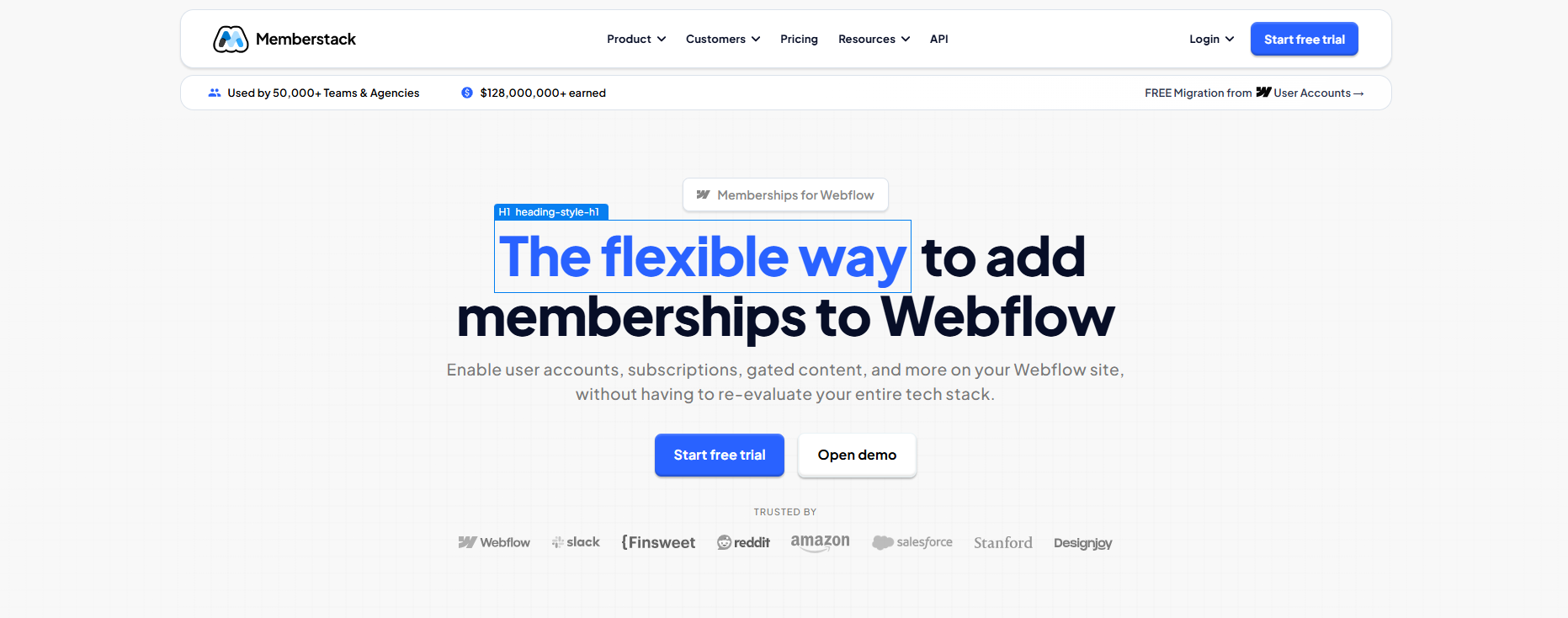
If Webflow is the stage, Memberstack is the engine that drives the show. This tool makes it possible to transform any Webflow site into a real value-added platform. Concretely, Memberstack adds the functionalities that are often the most complex to develop:
- Member registration and login
- Custom Profiles/Subscription Management
- Recurring payments via Stripe
- Protection of reserved content
- Free trials
- Coupon codes
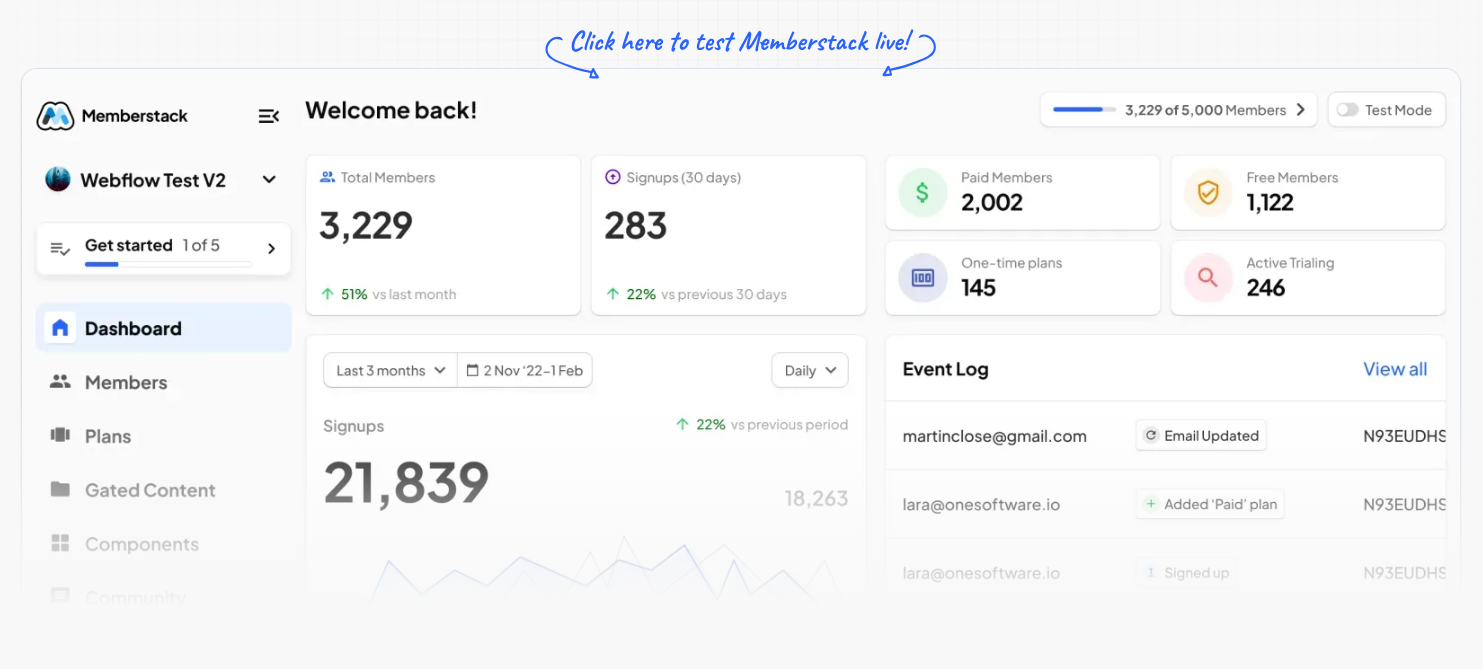
Linked to tools like Zapier, Make or Airtable, it allows you to automate entire flows: welcome emails, notifications, CRM segmentation, subscription tracking. Where a technical team was previously needed, now all you need is an autonomous creator or a small agency to set up a robust solution.
What types of projects can you create with Webflow and Memberstack?
The richness of this alliance is measured in the diversity of the projects it allows to design. A showcase site can become a learning platform complete, where each student has their profile, their course and their premium courses accessible via subscription. A simple online community can turn into private club high-end, with exclusive events And a member directory. Startups that want to launch lightweight SaaS can offer an intuitive dashboard, paid features, and a professional user interface without going through years of development.
“As a designer and developer, I use Webflow and Memberstack to create real customer portals. Thanks to the integrated CMS, my customers manage their content independently, while premium content is protected and accessible only to authorized users.”
I adopt this duo to set up smart paywalls and offer articles, videos and podcasts reserved for subscribers. The possibilities are immense, and the example of the many templates and cloneables offered by Memberstack (dashboards, SaaS, job boards, etc.) proves that there is already a solid base to accelerate any type of project.
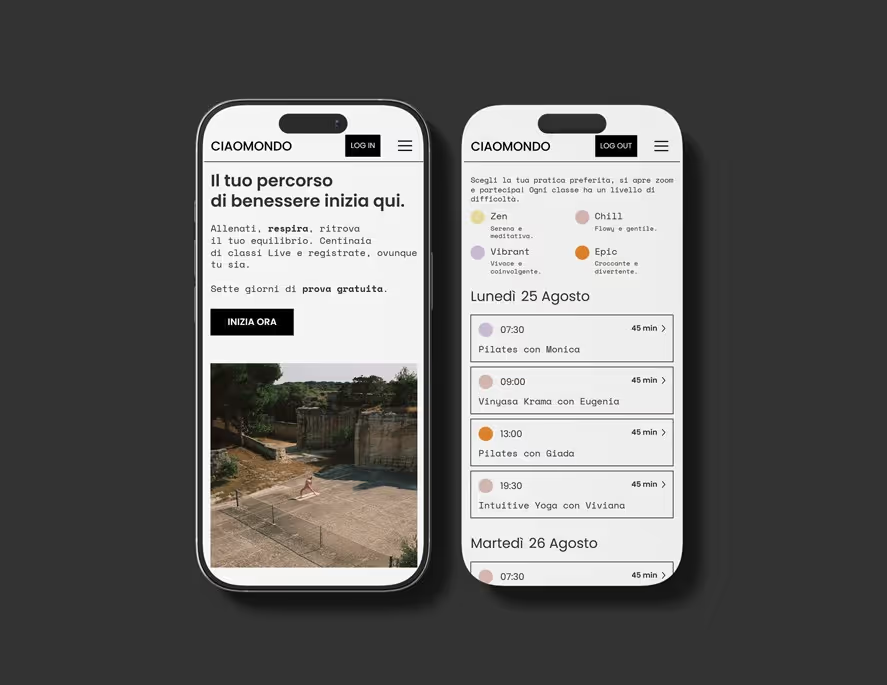
Case study: Ciaomondo, a wellness platform
A concrete example that I have just created perfectly illustrates this power: the project Ciaomondo. The objective was to transform an existing, unstable and limited site into a modern and sustainable platform. The choice fell on Webflow for its freedom of design and its performance, and on Memberstack 2.0 to manage essential functionalities: registration, member area, event calendar, access to meditations, videos and audios reserved for subscribers.
The challenge was to quickly deliver a functional base (a MVP) in order not to lose the already existing community. Thanks to Webflow + Memberstack, it was possible to launch a first solid, simple but effective version, while maintaining the possibility of evolving the platform month after month. The solution made it possible to secure access to premium content, simplify member management, and above all to maintain the identity of the brand through a tailor-made design.
Why call on a Webflow & Memberstack expert
Even though Webflow and Memberstack allow you to create without coding, getting the most out of these tools requires real expertise. Design a fluid member area, set up secure subscriptions, integrate Stripe, while ensuring a bug-free experience, requires precise know-how. This is exactly where I come in: as a Webflow and Memberstack expert, I design a tailor-made design, I integrate the technique in a clean and optimized way, and I set up a CMS designed so that my customers can manage their content independently.
Result : an elegant, efficient, scalable platform, and ready to generate value from day one.
Business advantages that make the difference:
The combination of Webflow + Memberstack is not limited to technology, it is transforming the business model. The speed of putting online reduces the time-to-market and makes it possible to test a concept with real users without waiting months. The premium user experience, resulting from Webflow design and Memberstack fluidity, justifies higher rates and keeps members loyal. Integrated monetization via Stripe simplifies financial management, and security (RGPD, HTTPS, PCI DSS L1 certification) brings peace of mind to both the entrepreneur and the end user.
In conclusion
Creating a site with a dedicated member area should not be an obstacle course. With Webflow and Memberstack, creators have a highly effective duo: creative freedom and performance on the one hand, member management and monetization on the other.
Whether you are an entrepreneur, trainer, coach, agency or startup, this combination paves the way for ambitious, profitable and quick projects to put online.
The success of the Ciaomondo project is just one example among others: tomorrow, your own idea could become a reality thanks to this no-code alliance.
👉 To discover Memberstack: www.memberstack.com
👉 To explore Webflow: www.webflow.com
FAQ
What is Memberstack and how does it work with Webflow?
Memberstack is a no-code tool specialising in member management, login systems and subscriptions for websites. Integrated with Webflow, it lets you create secure member areas, client portals, premium content and recurring payment systems without writing a single line of code. The connection is made via data attributes added to Webflow elements and configuration inside the Memberstack dashboard.
What types of sites can use the Webflow + Memberstack combination?
The Webflow + Memberstack combination suits a wide range of projects: online learning platforms, client portals for agencies or consultants, private communities, premium newsletters with web access, lightweight SaaS dashboards, member directories and loyalty programmes. Any project that needs to differentiate visible content based on a user's membership status can benefit from this setup.
Is Memberstack suitable for recurring subscriptions and online payments?
Yes, Memberstack natively integrates Stripe to manage recurring payments, monthly or annual subscriptions, free trials and one-time lifetime access. Everything is configured from the Memberstack dashboard with no code required. Revenue collection, cancellations and failed payment retries are all handled automatically.
What's the difference between Memberstack and Webflow Memberships?
Webflow Memberships is Webflow's native member management solution, still maturing with limited features. Memberstack is a more established third-party tool with more advanced customisation, integration and payment management options. For complex projects requiring conditional content logic, multiple membership tiers or CRM integrations, Memberstack remains the most complete and reliable option today.
How much does it cost to integrate Memberstack on a Webflow site?
Memberstack offers several plans based on member volume: a free plan for testing (limited to 200 members), then paid plans starting at $49/month for production projects. On top of that come Stripe transaction fees (typically 2.9% + $0.30 per transaction). The development cost for a Webflow freelancer to integrate Memberstack varies by complexity, generally between €500 and €2,000 for a standard setup.